API 요청
/rest/url_screenshot요청 파라미터 1개 · 필수 1
url- 예시
https://www.naver.com/
응답 필드 파일
정상 응답은 파일 본문입니다. 실패 시 JSON 오류가 올 수 있으므로 HTTP 상태와 Content-Type을 먼저 확인하세요.
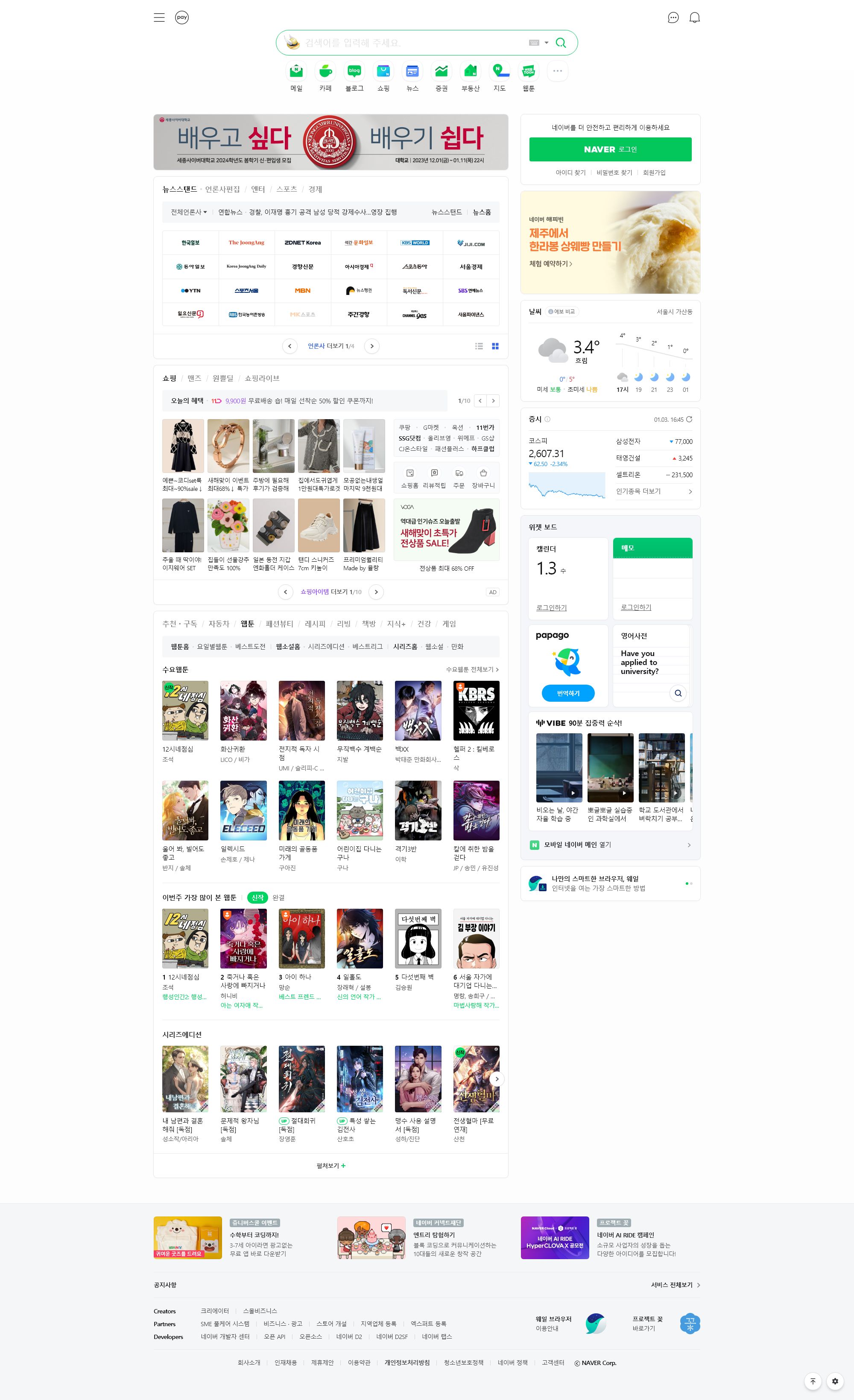
입력한 URL의 화면을 캡처합니다.
https://apick.app/rest/url_screenshot왜 URL 화면캡처인가
링크 미리보기, 증빙 보관, 화면 점검을 위해 사람이 일일이 캡처하고 있나요? URL만 넣으면 그 페이지 화면을 이미지로 돌려줘 증빙과 썸네일을 자동으로 남깁니다.
웹 페이지 주소를 보내면 그 페이지 화면을 JPEG 이미지 파일로 돌려줍니다. 응답 본문이 JSON이 아니라 이미지 파일 자체이므로 파일로 저장하세요. 사이트 변경 기록, 증빙 화면 보관, 썸네일 생성에 씁니다.
캡처할 수 있는 최대 크기는 가로 2000px, 세로 10000px입니다.
캡처에 성공하면 한 건당 5P가 차감됩니다. 차감액은 응답 헤더 cost에서 확인하세요. 실패하면 이미지 대신 JSON 오류(data.error)가 오며 과금되지 않습니다.
http·https로 시작하는 공개 인터넷 주소만 받습니다. 사내망·사설 IP·localhost 주소는 캡처하지 않습니다. 응답까지 길면 30초 가까이 걸리므로 클라이언트 대기 시간은 60초 이상으로 두세요.
/rest/url_screenshoturlhttps://www.naver.com/정상 응답은 파일 본문입니다. 실패 시 JSON 오류가 올 수 있으므로 HTTP 상태와 Content-Type을 먼저 확인하세요.
POST https://apick.app/rest/url_screenshotAuthorization: Bearer — 내 계정의 API 인증키multipart/form-data상황별로 보내는 값과 응답에서 확인할 값을 모았습니다. 언어 탭에서 그대로 복사해 쓸 수 있습니다.
페이지 화면을 JPEG 파일로 저장합니다. 응답 본문이 이미지 파일 자체입니다.
/rest/url_screenshotcurl --fail-with-body --request POST 'https://apick.app/rest/url_screenshot' \
--header "Authorization: Bearer $APICK_API_KEY" \
--form-string 'url=https://www.naver.com/' \
--dump-header response.headers --output result.bin
# response.headers의 Content-Type을 확인한 뒤 파일을 사용하세요.const form = new FormData();
form.append("url", "https://www.naver.com/");
const response = await fetch("https://apick.app/rest/url_screenshot", {
method: "POST",
headers: { Authorization: "Bearer " + process.env.APICK_API_KEY },
body: form,
signal: AbortSignal.timeout(120_000),
});
if (!response.ok) throw new Error(`HTTP ${response.status}: ${await response.text()}`);
if ((response.headers.get("content-type") || "").includes("json")) {
throw new Error(JSON.stringify(await response.json()));
}
const { writeFile } = await import("node:fs/promises");
await writeFile("result.bin", new Uint8Array(await response.arrayBuffer()));import os
import requests
parts = [
("url", (None, "https://www.naver.com/")),
]
response = requests.request("POST", "https://apick.app/rest/url_screenshot",
headers={"Authorization": "Bearer " + os.environ["APICK_API_KEY"]},
files=parts,
timeout=(10, 120), stream=True)
response.raise_for_status()
if "json" in response.headers.get("Content-Type", ""):
raise RuntimeError(response.json())
with open("result.bin", "wb") as output:
for chunk in response.iter_content(65536):
output.write(chunk)<?php
$headers = ["Authorization: Bearer " . getenv("APICK_API_KEY")];
$form = [
'url' => 'https://www.naver.com/',
];
$curl = curl_init('https://apick.app/rest/url_screenshot');
curl_setopt_array($curl, [
CURLOPT_CUSTOMREQUEST => 'POST',
CURLOPT_HTTPHEADER => $headers,
CURLOPT_POSTFIELDS => $form,
CURLOPT_RETURNTRANSFER => true,
CURLOPT_CONNECTTIMEOUT => 10, CURLOPT_TIMEOUT => 120,
]);
$body = curl_exec($curl);
if ($body === false) { throw new RuntimeException(curl_error($curl)); }
$status = curl_getinfo($curl, CURLINFO_HTTP_CODE);
$type = curl_getinfo($curl, CURLINFO_CONTENT_TYPE) ?: "";
curl_close($curl);
if ($status >= 400) { throw new RuntimeException($body); }
if (strpos($type, "json") !== false) { throw new RuntimeException($body); }
file_put_contents('result.bin', $body);Content-Type이 image/jpeg이면 본문을 파일로 저장합니다.Content-Type이 JSON이면 실패이므로 본문의 data.error를 확인합니다. 과금되지 않습니다.공지·이벤트 페이지가 게시된 상태를 날짜별로 보관할 때 씁니다.
/rest/url_screenshotcurl --fail-with-body --request POST 'https://apick.app/rest/url_screenshot' \
--header "Authorization: Bearer $APICK_API_KEY" \
--form-string 'url=https://example.com/event' \
--dump-header response.headers --output result.bin
# response.headers의 Content-Type을 확인한 뒤 파일을 사용하세요.const form = new FormData();
form.append("url", "https://example.com/event");
const response = await fetch("https://apick.app/rest/url_screenshot", {
method: "POST",
headers: { Authorization: "Bearer " + process.env.APICK_API_KEY },
body: form,
signal: AbortSignal.timeout(120_000),
});
if (!response.ok) throw new Error(`HTTP ${response.status}: ${await response.text()}`);
if ((response.headers.get("content-type") || "").includes("json")) {
throw new Error(JSON.stringify(await response.json()));
}
const { writeFile } = await import("node:fs/promises");
await writeFile("result.bin", new Uint8Array(await response.arrayBuffer()));import os
import requests
parts = [
("url", (None, "https://example.com/event")),
]
response = requests.request("POST", "https://apick.app/rest/url_screenshot",
headers={"Authorization": "Bearer " + os.environ["APICK_API_KEY"]},
files=parts,
timeout=(10, 120), stream=True)
response.raise_for_status()
if "json" in response.headers.get("Content-Type", ""):
raise RuntimeError(response.json())
with open("result.bin", "wb") as output:
for chunk in response.iter_content(65536):
output.write(chunk)<?php
$headers = ["Authorization: Bearer " . getenv("APICK_API_KEY")];
$form = [
'url' => 'https://example.com/event',
];
$curl = curl_init('https://apick.app/rest/url_screenshot');
curl_setopt_array($curl, [
CURLOPT_CUSTOMREQUEST => 'POST',
CURLOPT_HTTPHEADER => $headers,
CURLOPT_POSTFIELDS => $form,
CURLOPT_RETURNTRANSFER => true,
CURLOPT_CONNECTTIMEOUT => 10, CURLOPT_TIMEOUT => 120,
]);
$body = curl_exec($curl);
if ($body === false) { throw new RuntimeException(curl_error($curl)); }
$status = curl_getinfo($curl, CURLINFO_HTTP_CODE);
$type = curl_getinfo($curl, CURLINFO_CONTENT_TYPE) ?: "";
curl_close($curl);
if ($status >= 400) { throw new RuntimeException($body); }
if (strpos($type, "json") !== false) { throw new RuntimeException($body); }
file_put_contents('result.bin', $body);cost로 차감액을 확인하고, 파일 이름에 요청 시각을 붙여 저장합니다.localhost 주소는 이 호스트로는 요청할 수 없습니다.로 거절됩니다.HTTP 성공과 업무 결과를 구분하세요. 경로별 응답 필드와 예시는 위 요청과 응답에 함께 있습니다.
실패하면 HTTP 상태가 4xx이고 본문은 아래와 같은 JSON입니다.
{
"data": { "error": "알 수 없는 이유로 실패했습니다.", "success": 0 },
"api": { "success": true, "cost": 0, "ms": 3120 }
}
응답을 받으면 Content-Type이 image/jpeg인지 먼저 확인하고, 아니면 본문을 JSON으로 읽어 data.error를 확인하세요.
image/jpeg, 실패하면 JSON 형식입니다. 이 값으로 성공·실패를 먼저 나누세요.attachment; filename=output.jpeg입니다.응답을 아래 순서로 확인하세요. 결과 유무와 과금 여부는 서로 다릅니다.
url을 채워 다시 요청합니다.https://를 붙여 보냅니다.localhost 주소입니다. 공개 인터넷 주소만 쓸 수 있습니다.data.success가 3입니다. 잠시 뒤 다시 요청합니다.오류 응답은 모두 과금되지 않습니다.
FORM_DATA_INVALIDFORM_DATA_FIELD_CONFLICTMULTIPART_LIMIT_OR_PARSE_ERROR실제 차감 금액은 응답의 api.cost로 확인하세요. 상세 요금은 요금정책에서 볼 수 있습니다.